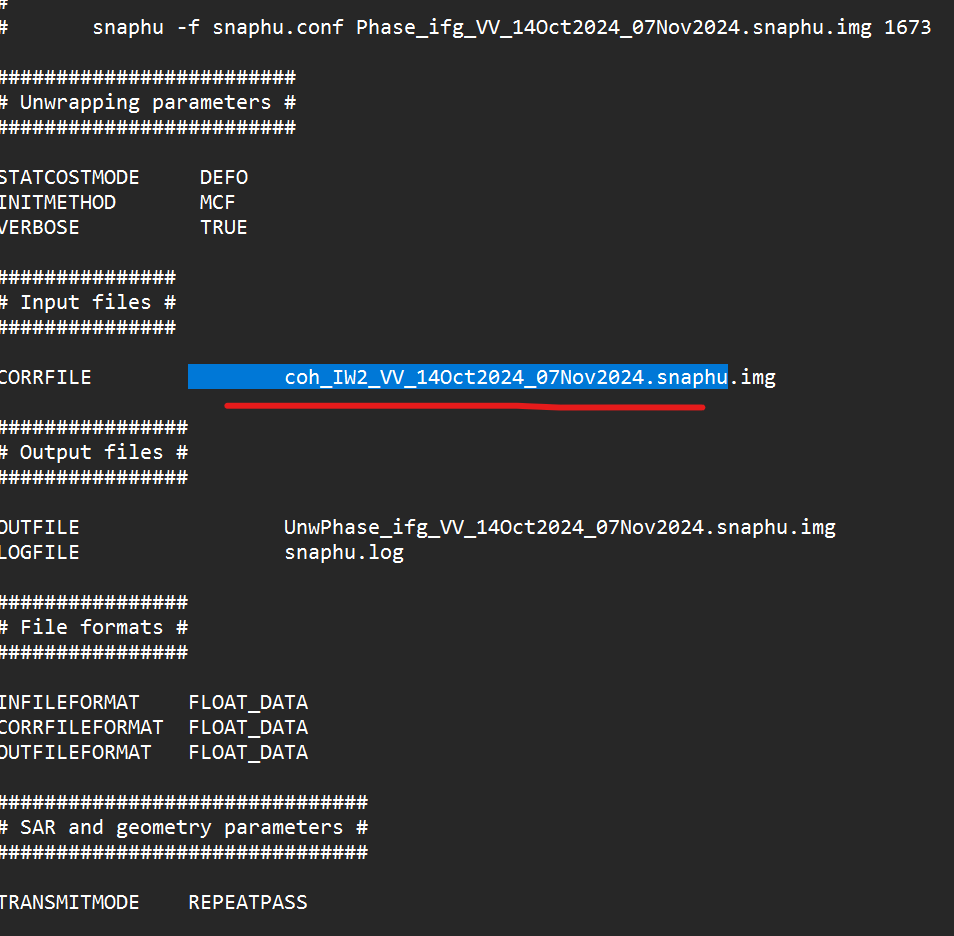
Hello Ugyen,
How did it worked for you can you assist please!
Check File Permissions: Ensure that you have the necessary permissions to read and write to the files and directories involved in the unwrapping process.
Memory Allocation: Verify that your system has enough memory to perform the unwrapping. If you’re running out of memory, the process may abort unexpectedly.
Hi Braun
I am stuck in SNAPHU Unwrapping as there is always an error in Unwrapping step. I am sending you the screenshot of error and Snaphu conf.
I have used external DEM with 1 m resolution.
If you can please guide me.
greetings from Hamburg.
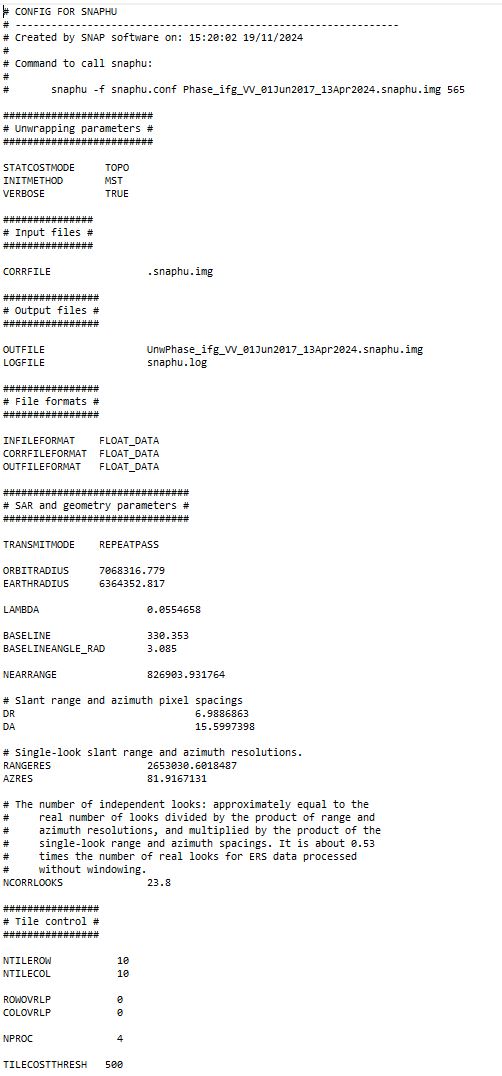
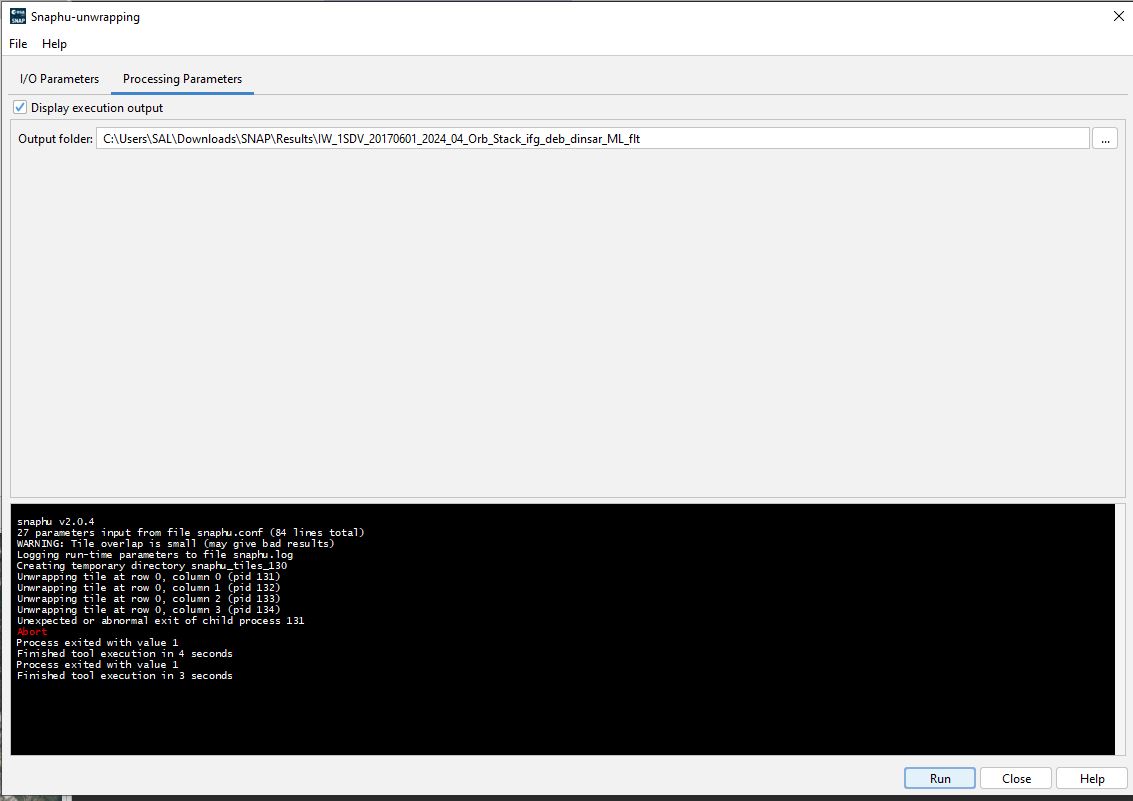
Can you share me your tips how you got successfully unwrapped your phase
Hi, I found a solution to this problem, we just need to go to the Input files section in snaphu.conf. Change snaphu.img to a file starting with ‘coh’ in the snaphu export export file (such as’ coh_IW1_VV_15Jun2019_27Jun2019.snaphu.img '), save it and try running it again.