readPixel Issue on pre-processed S3 L1B OLCI product

Aim: Get Sentinel 3 L1B EFR data, pre-process this with the IdePix Sentinel-3 OLCI to get a cloud mask, use this mask and/or band to create a mask xarray, use this array to mask a band on another dataset of same coordinates. This is due to L1B data not having a cloud pixel flag.

python 3.10.18, esa_snappy, SNAP 11

Current Approach:
from esa_snappy import Band
print(f"\tExtracting IDEPIX_CLOUD mask…")
mask_group = subset_idepix.getMaskGroup()
idepix_cloud_mask = mask_group.get(‘IDEPIX_CLOUD’)

    if idepix_cloud_mask is not None:
        
        mask_image = jpy.cast(idepix_cloud_mask, Band)
        cloud_maskdata = np.zeros((height, width), dtype=np.int16)
        mask_image.readPixels(0, 0, width, height, cloud_mask_data)

  or by just getting the band of the idepix product (geometry subset):

quality_flags = product.getBand(‘pixel_classif_flags’), returns org.esa.snap.core.datamodel.Band[pixel_classif_flags,int16,74,98,-1,-999.0,-1,0.0,0.0,0.0] but any attempt to readPixels gives the error below too.

Tried to get more comprehensive debug logs using the advice on this previous issue:

but nothing stood out in the responses other than ‘annotate_RasterDataNode_methods: Method “readValidMask”: modified parameter 4: mutable = True, return = True’ printing several times

I’ve tried several ways suggested by these similar issues:

such as specifying integers for the readPixels parameters, specifying floats for the cloud_mask_data both as Integer = jpy.get_type(‘java.lang.Integer’) or Float = jpy.get_type(‘java.lang.Float’) or np.int, np.float32 etc. Tried using a progress monitor as the final param but the same issue.

but keep getting the error:
no matching Java method overloads found , presumably because I may have changed int to float or data types mismatching, but even if I specify the types I may get
or ambiguous method calls instead which I think implies that because readPixels methods appear multiple times SNAP Engine API
for Band, Mask etc classes it can’t determine which one (?)

Does anyone know of a solution for this particular method or any different way to approach what I am doing to bypass this entirely (get S3 OLCI cloud mask for the same WKT geometry subset and mask another dataset of s3 processed data) ?
The readPixels method requires double[], float[] or int[] as type for the data. You have int16 which is short int Java. Maybe using int32 for cloud_maskdata will work. Or not using a numpy array but a python array or a list. I haven’t tried but I think this could be the cause.

from esa_snappy import Band
mask_group = product.getMaskGroup()
idepix_cloud_mask = mask_group.get(‘IDEPIX_CLOUD’)
mask_image = jpy.cast(idepix_cloud_mask, Band)
cloud_mask_data = np.zeros(width*height, dtype=np.int32)
mask_image.readPixels(0, 0, width, height, cloud_mask_data)

or,

from esa_snappy import Band
mask_group = product.getMaskGroup()
idepix_cloud_mask = mask_group.get(‘IDEPIX_CLOUD’)
mask_image = jpy.cast(idepix_cloud_mask, Band)
cloud_mask_data = [0] * (width * height)
mask_image.readPixels(0, 0, width, height, cloud_mask_data)

give the error: ambiguous Java method call, too many matching method overloads found

same error from this alternative band method with a list:
quality_flags = product.getBand(‘pixel_classif_flags’)
width = quality_flags.getRasterWidth()
height = quality_flags.getRasterHeight()
# Use Python list instead of numpy array
cloud_mask_data = [0] * (width * height)
quality_flags.readPixels(0, 0, width, height, cloud_mask_data)

That’s strange. But it seems to be an older problem:

Maybe @dolaf can help?

Any update on this?

Hi,

sorry for the late reply, this thread got out of my focus because of other duties.

I found an older use case I worked on some time ago with a colleague who had a similar (or basically the same) issue. The problem was/is that jpy always wants to access the read_pixels(int, int, int, int, float[]) method, even if you specify an integer type for the array to read into (as you did with np.int16 for your cloud mask data. The reason remained unclear for us and thus the basic problem could not be resolved.

However, a successful workaround for us was to just read the data into a Numpy float array, and afterwards cast into an uint32. Therefore, you may try to change like this:

cloud_mask_data = np.zeros((height, width), dtype=np.int16)
mask_image.readPixels(0, 0, width, height, cloud_mask_data)

to

cloud_mask_data = np.zeros((height, width))
mask_image.readPixels(0, 0, width, height, cloud_mask_data)
cloud_mask_data = cloud_mask_data.astype(np.uint32)

We hope this suggestion helps.

Cheers,
Olaf

1 Like

Thank you for getting back to me. In the end, I did a long way round:
band = p.getBand(‘pixel_classif_flags’)
idepix_flags = band.readPixels(0, 0, w, h, zeros((h, w), float32)).astype(‘uint32’)

then getting the bits with the method described here:

then applying the mask by extracting the band data one by one:
for loop etc…
data = np.zeros(width * height, dtype=np.float32)
band.readPixels(0, 0, width, height, data)
data.shape = height, width
band_data[band_name] = data

then for loop etc…
data[combined_mask] = np.nan

very long winded but I think it achieved what I wanted in the meantime. Will probably attempt the method you gave when I get time and if it works move to that.

Hello everyone, sorry for posting here—I’m not very familiar with forums, but I have to turn to you because I can’t find a solution to my problem. For my thesis, I need various data from satellite images so I can calculate indices, so I downloaded SAFE files from the Copernicus Browser. In the latest version of SNAP (and I tried the previous one as well), it won’t open the XML called MTD_MSIL2A; I load it, but nothing happens. I’d like to ask for help—what should I do in this situation?

Dear @viszontpadlas,

Please attach the messages.log file generated after reproducing the issue.

Steps to follow:

  1. Launch SNAP.
  2. Try to open the S2 product using the MTD_MSIL2A.xml file.
  3. Go to Help → Show Log Directory.
  4. Attach the messages.log file from that directory.

messages.log (102.2 KB)

Dear @viszontpadlas,
The issue seems to be related to your user directory, which contains a special character (á). As a workaround, please move the SNAP working directory to another location outside your user directory.

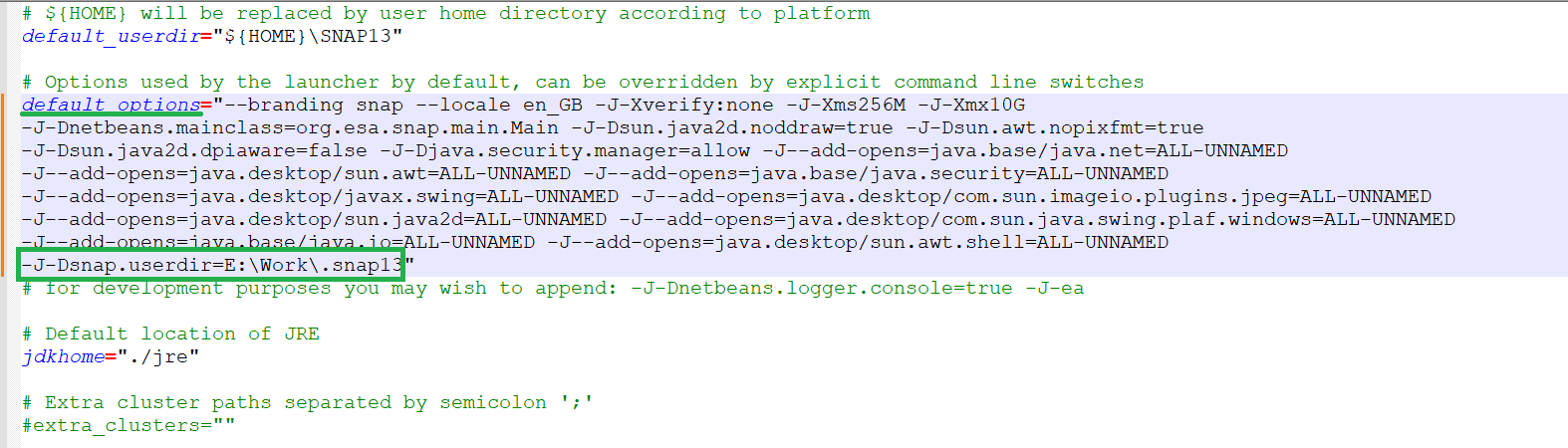
To do this, update the C:\Program Files\esa-snap\etc\snap.conf file by adding the following option:
-J-Dsnap.userdir=<SNAP_working_dir>

Example:

Dear Diana_Harosa,

I’m not very experienced with this topic, so I have a further question.
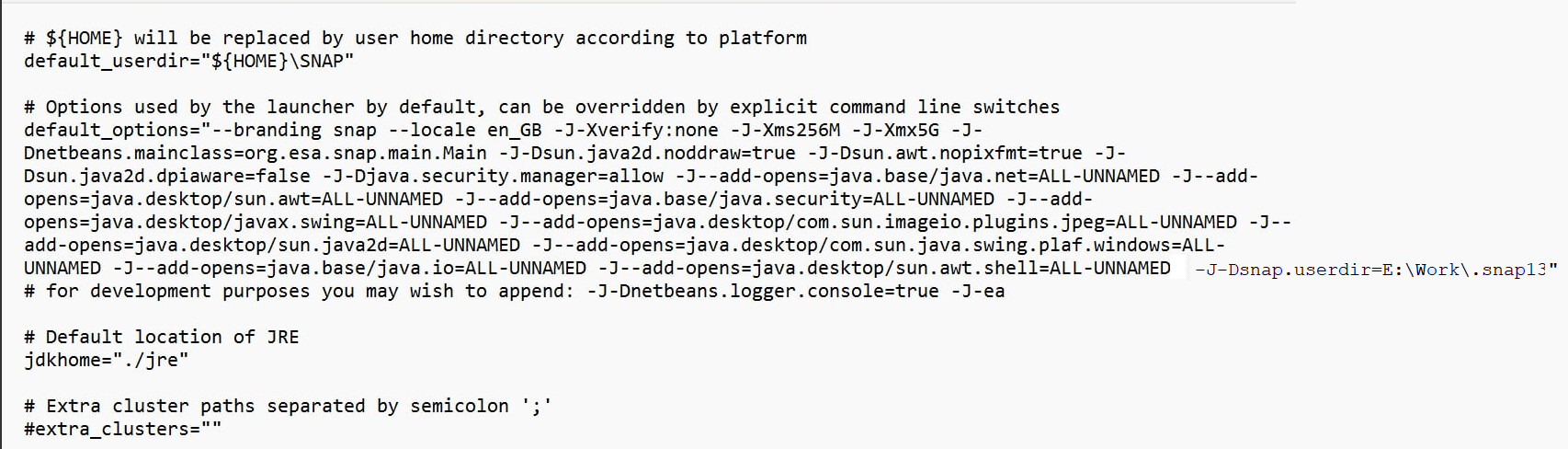
Could you please advise me on how to open the interface/example you sent? I can only open it with Notepad, but it appears differently to me. I’ve attached a picture for reference.

Thank you very much for your help.

Best regards,
viszontpadlas

Hi @viszontpadlas,

Just add -J-Dsnap.userdir=<SNAP_working_dir> after the last ALL-UNNAMED entry and before the final quotation mark:

Dear Diana_Harosa,

I have entered what you sent and created the folders, but it still isn’t working.
Did I make a mistake, or is the problem on my side?

image

After restarting SNAP, did the .snap13 folder get created in the new location?

No, I created it myself.

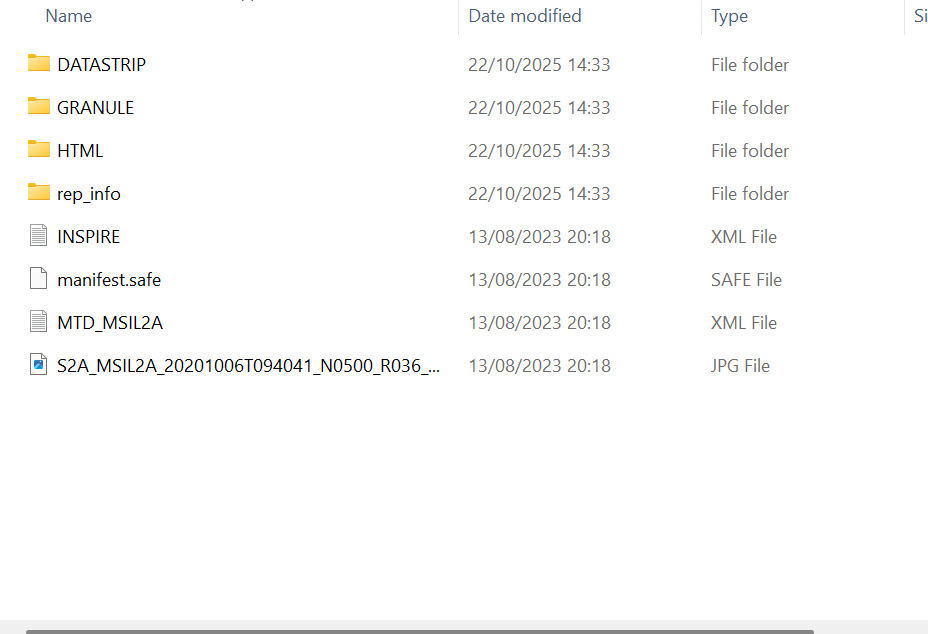
Could you attach a screenshot of its contents and also provide the messages.log file generated after launching SNAP?

messages.log (105.6 KB)

image

Sorry if I wasn’t clear enough. I actually wanted a screenshot of the .snap13 folder’s contents. According to the log file, SNAP isn’t using the new working directory; it’s still using the old one. Could you check whether the changes made to the configuration file were saved?

Dear diana_harosa,

There must have been something wrong with my previous save, because I saved it again and now it works.
Thank you very much for all your help.
Have a wonderful day.