Hi there,
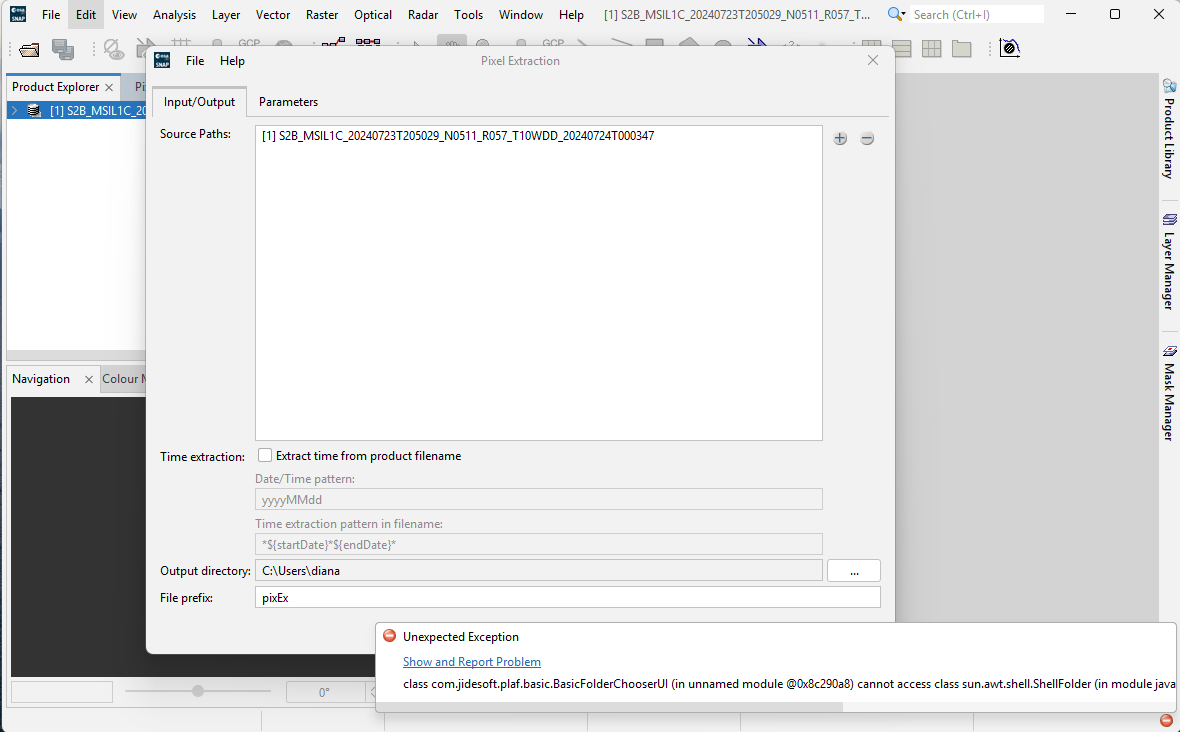
In SNAP 12 I have noticed the following problems in the raster extract process:
- The output directory cannot set.
- The “Add directory(s)” and “Add directory recursively” processes for adding products are not working.
Any ideas?
Thanks!
Hi there,
In SNAP 12 I have noticed the following problems in the raster extract process:
Can you provide more details about the processing steps and the operating system you are using? Please also attach the log file generated after reproducing the error (you can access it from the Help → Show Log Directory menu).
Some screenshots would also be helpful.
Thank you!
Operating system is Windows 10.
For the 1st problem:
raster > export > … (on the right of output directory)
It should open a window with folders to choose, but nothing happens. No error message.
For the 2nd problem:
raster > export > + (top right) > "Add directory(s)” or “Add directory recursively”
Again, It should open a window with folders to choose, but nothing happens. No error message.
There is nothing to show on screenshots, because (as mentioned above) the problem is that nothing happens…
SNAP 11 works fine.
Thanks!!
Thank you for providing the details. We were able to reproduce the issue:
A Jira ticket has been created : SNAP-4063.
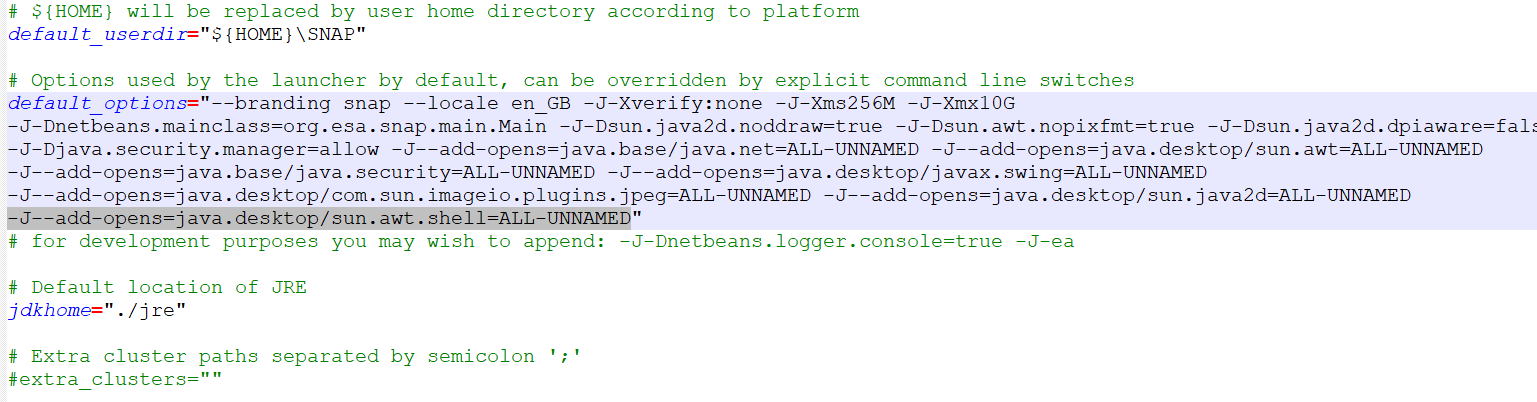
As a workaround, please update the C:\Program Files\esa-snap\etc\snap.conf file by adding -J--add-opens=java.desktop/sun.awt.shell=ALL-UNNAMED to your default_options.
Thanks a lot!!!
Problem solved.
Hi all,
this has already been corrected in 13, triggered by another user:
We probably should also add a module update for 12.x, I guess.
Cheers,
Tom