Hello,
I have different warning error generated by SNAP model, please help me to solve it:
error (1) SNAP is unable to read xml data
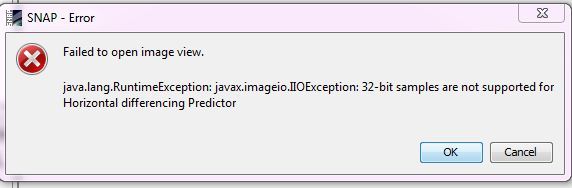
error (2) I can’t display sentinel-2 data in SNAP interface
error (3) the sen2cor extension dosen’t work correctly

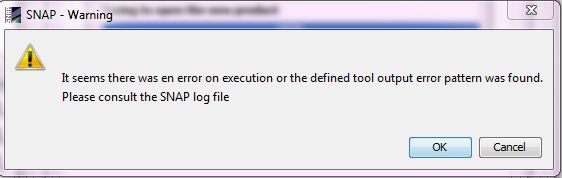
Hello,
I have different warning error generated by SNAP model, please help me to solve it:
error (1) SNAP is unable to read xml data
error (2) I can’t display sentinel-2 data in SNAP interface
error (3) the sen2cor extension dosen’t work correctly
It is not easy to help with little information about your system, data, version…
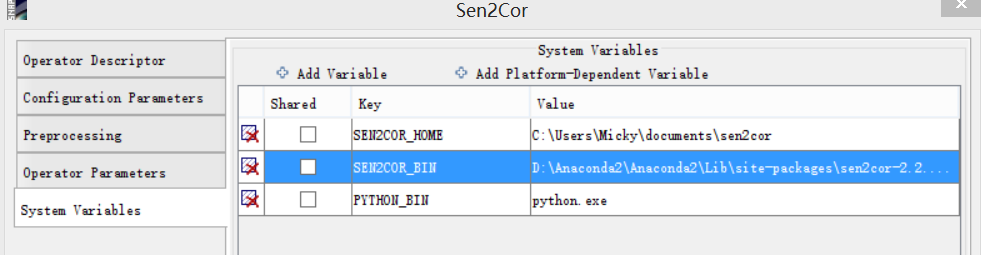
File > Import > Optical > Sentinel-2 > L1C and select the xml file in the folder above. It is named like S2A_OPER_MTD_SAFL1C_PDMC[…].xml_. Select a resolution then.Tools > Manage external tools > Sen2Cor > Edit and post a screenshot of the tab System variables
When I execute Step 1 I have the warning error N°1
It can’t read xml file
For the first warning, it seems you are trying to open an xml file (*.aux.xml) which is not the product metadata file. Usually such files are produced after processing with other tools. Try to use the xml metadata file from the original product.
I have the same question for the third warning. Then I post the screenshot as it’s shown above.
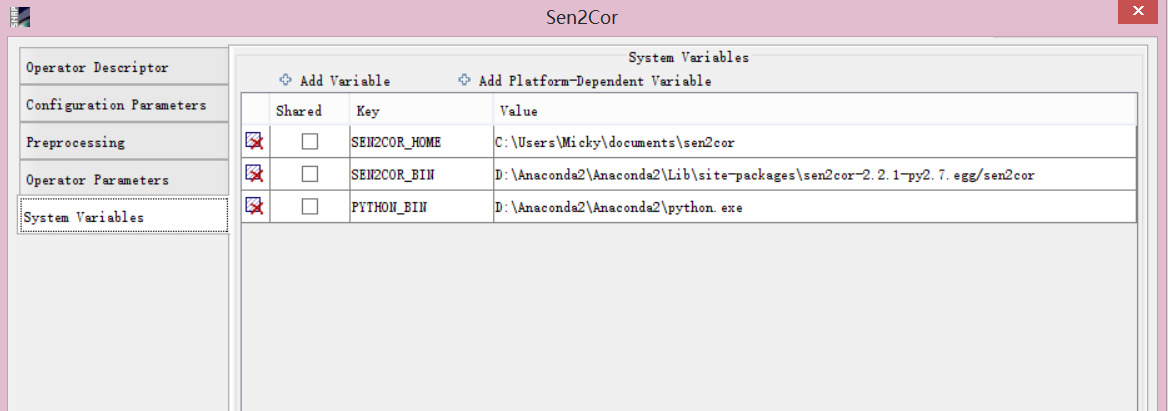
you can replace the value for PYTHON_BIN by the full path to your python installation:
Worked here, for example:
Fine… I checked the full path and placed the full path of my python installation into PYTHON_BIN like this:
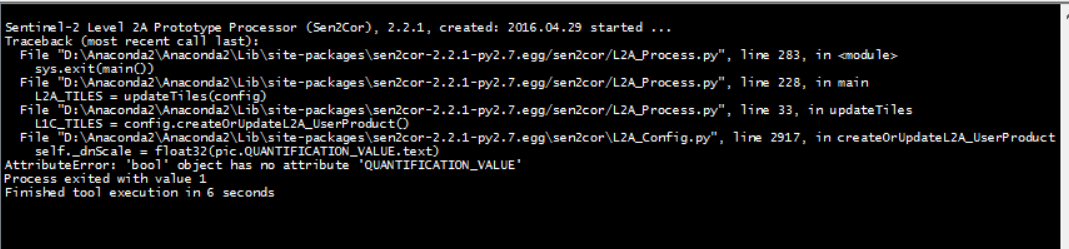
Since I think these paths have no special characters, I ran it again. However, it still told me Warning, the execution output like this:
attributeError…?
Thanks again. 
hm, at least the processing starts now.
About the attribute error I’m not sure.
Maybe this helps: