Hello,
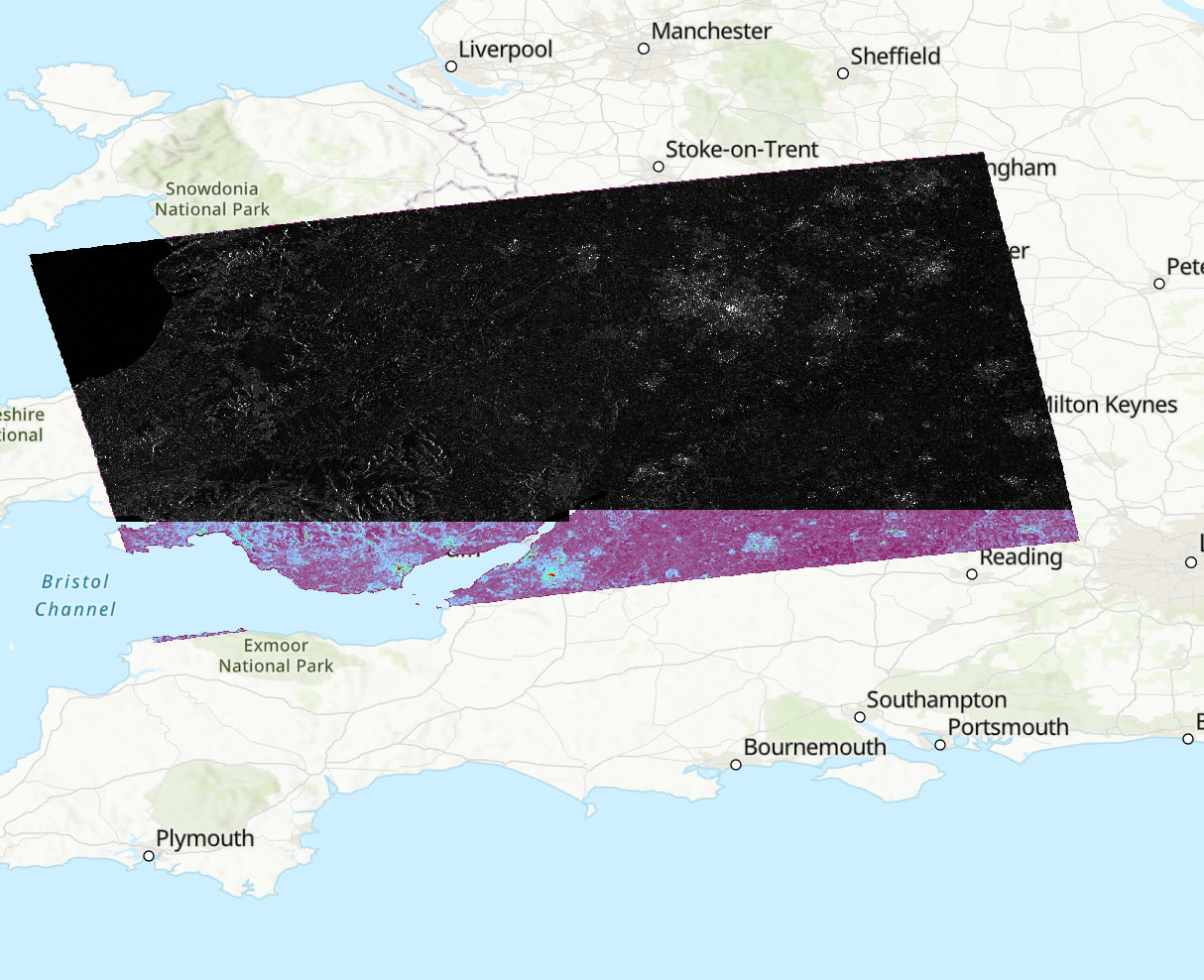
I am using the latest SNAP13 with esa_snappy. I have a workflow to process Sen-1 scenes in a batch using a loop across a folder but the output scenes are inconsistently output where a large portion of the scene can be somewhat missing. When looking the scenes in Arc I can see that it appears the output is just cut short.
I have tried clearing memory etc. The machine has 64gb RAM with 80% in the java memory allocation. Is this a known issue with esa_snappy? Or is it that I am missing something? I am just looking to automate the processing of several scenes - if there is another option that is suitable please advise. Attached is an example of the missing data. The top layer shows the snappy processed scene whereas the purple underneath is SNAP graph GUI process. The values across the areas where pixels are present are the same so it just seems to be an issue with outputting the data?
name, sensing_mode, product_type, polarisation, height, width, band_names = (
 for i in range(7))

for i in input_S1_files:
sensing_mode.append(i.split(““)[-8])
product_type.append(i.split(””)[-7])
polarisation.append(i.split(“_”)[-6])
#read with snappy
S1_read = snappy.ProductIO.readProduct(i)
name.append(S1_read.getName())
height.append(S1_read.getSceneRasterHeight())
width.append(S1_read.getSceneRasterWidth())
band_names.append(S1_read.getBandNames())

#apply orbit file
parameters = snappy.HashMap()
parameters.put('Apply-Orbit-file', True)
apply_orbit = snappy.GPF.createProduct('Apply-Orbit-File', parameters, S1_read)
print(apply_orbit)
print(colored('Orbit updated succesfully', 'green'))

#thermal noise removal
parameters = snappy.HashMap()
parameters.put('removeThermalNoise', True)
thermal_noise = snappy.GPF.createProduct('ThermalNoiseRemoval', parameters, apply_orbit)
print(thermal_noise)
print(colored('Thermal noise removed succesfully', 'green'))

#radiometeric calibration
parameters = snappy.HashMap()
parameters.put('OutputSigmaBand', True)
parameters.put('sourceBands', 'Intensity_VH,Intensity_VV')
parameters.put('selectedPolarisations', 'VH,VV')
parameters.put('outputImageScaleInDb', False)
calibrated = snappy.GPF.createProduct('Calibration', parameters, thermal_noise)
print(calibrated)
print(colored('Radiometrically corrected succesfully', 'green'))

#speckle filter - lee filter 5x5
parameters = snappy.HashMap()
parameters.put('filter', 'Lee')
parameters.put('filterSizeX', Integer(5))
parameters.put('filterSizeY', Integer(5))
speckle = snappy.GPF.createProduct('Speckle-Filter', parameters, calibrated)
print(speckle)
print(colored('Lee 5x5 speckle filter applied succesfully', 'green'))

#terrain correction operator - snappy
parameters = snappy.HashMap()
parameters.put('demName', 'SRTM 1Sec HGT')
parameters.put('demResamplingMethod', 'BILINEAR_INTERPOLATION')
parameters.put('imgResamplingMethod', 'BILINEAR_INTERPOLATION')
parameters.put('pixelSpacingInMeter', 10.0)
parameters.put('nodataValueAtSea', False) #do not mask areas without elevation
parameters.put('saveSelectedSourceBand', True)
terrain_correction = snappy.GPF.createProduct('Terrain-Correction', parameters, speckle)
print(colored('Terrain correction completed', 'blue'))

#plot terrain correction (VV then VH)
#output_bands = ['Sigma0_VV', 'Sigma0_VH']
#output_view(terrain_correction, output_bands, 0.00, 0.49, 0.00, 0.04)

#write to file
#step 1: write to DIM - previous errors have meant this is needed as a first step.
zipname = i.split("\\")[-1]
filename_base = zipname.split(".")[0]
dim_outpath = outdir + filename_base + "_processed"

snappy.ProductIO.writeProduct(terrain_correction, dim_outpath, "BEAM-DIMAP")
print("saved temporary BEAM_DIMAP product.")

#step 2: write to GeoTiff
stable_product = snappy.ProductIO.readProduct(dim_outpath + ".dim")
geotiff_outpath = outdir + filename_base + "_Orb_Thm_Cal_Spk_TC"

snappy.ProductIO.writeProduct(stable_product, geotiff_outpath, 'GeoTIFF-BigTIFF')
print(colored('Product sucessfully saved in: ', 'blue'), geotiff_outpath)