Hello mayja02,
I have found another way to solve this PYTHON_BIN environment variable in a durable way (Please note that I work with Windows 10 but the procedure should be the same for Windows 7):
- After installing Anaconda2, go to your Windows in your computer and search for Modify environment variables. You will end up with a screen like this:
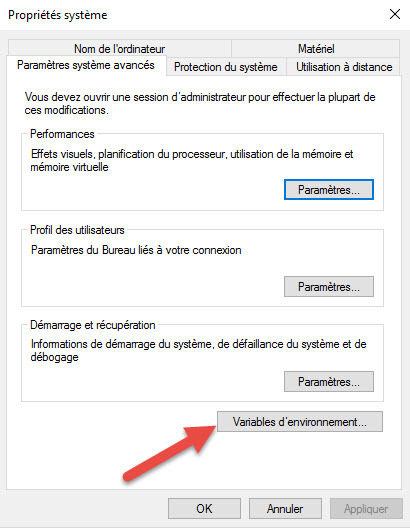
Click Environment variables and this will open the next screen:
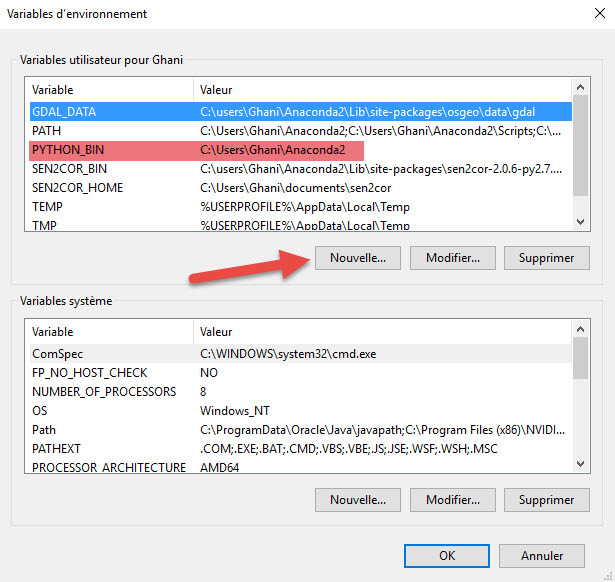
-
Click New under the upper window and then you add a new variable PYTHON_BIN and give it a value C:\Users<user>\Anaconda2 as highlighted in red in the same window (user is Ghani for me). Now the path of the PYTHON_BIN shall persist thus allowing you to run sen2cor.
-
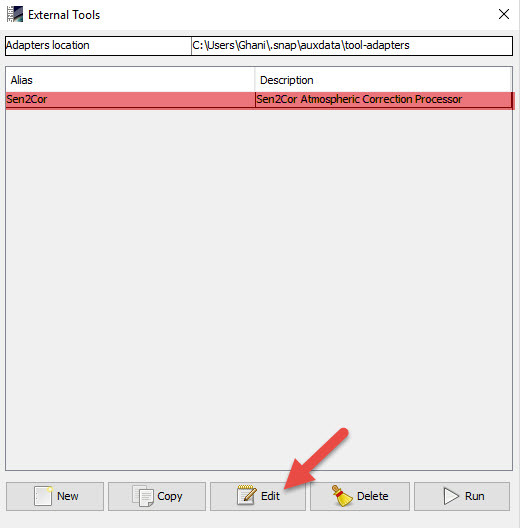
Return to SNAP and open Tools/Manage External. This will bring you to the following screen:
Select Sen2cor and click Edit. This shall open the next screen:
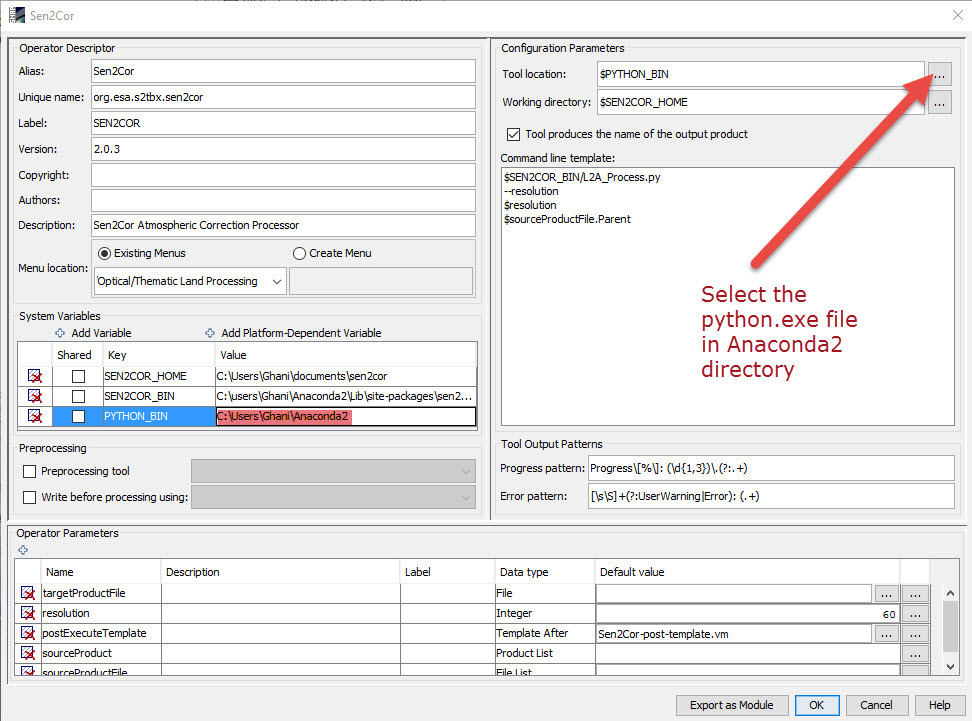
You see that now PYTHON_BIN path is there. We now have to select the values of the 2 parameters under Configuration Parameters. Please note that the help on this screen does not give any explanation on what is to be selected for the Tool location there but since $PYTHON_BIN is indicated in front of tool location I opted to point to the python executable . However they give clear indications about the working directory SENCOR_Home.
For the Tool location, click the … indicated by the red arrow and go to the python.exe file in your Anaconda2 directory (for me C:\Users\Ghani\Anaconda2\python.exe) select it and click ok.
Now you will be able to run sen2cor.
However, as it was brilliantly shown by @ChristianSeverin in this forum, a problem exists with the file L2A_Tables.py, which does the conversion from L1C to L2A, and he offered a solution on which I am going to comment right now in a new topic.
Kind regards.